Crontab Cheatsheet: Copy-Paste Schedules & Syntax Table
August 18, 2026
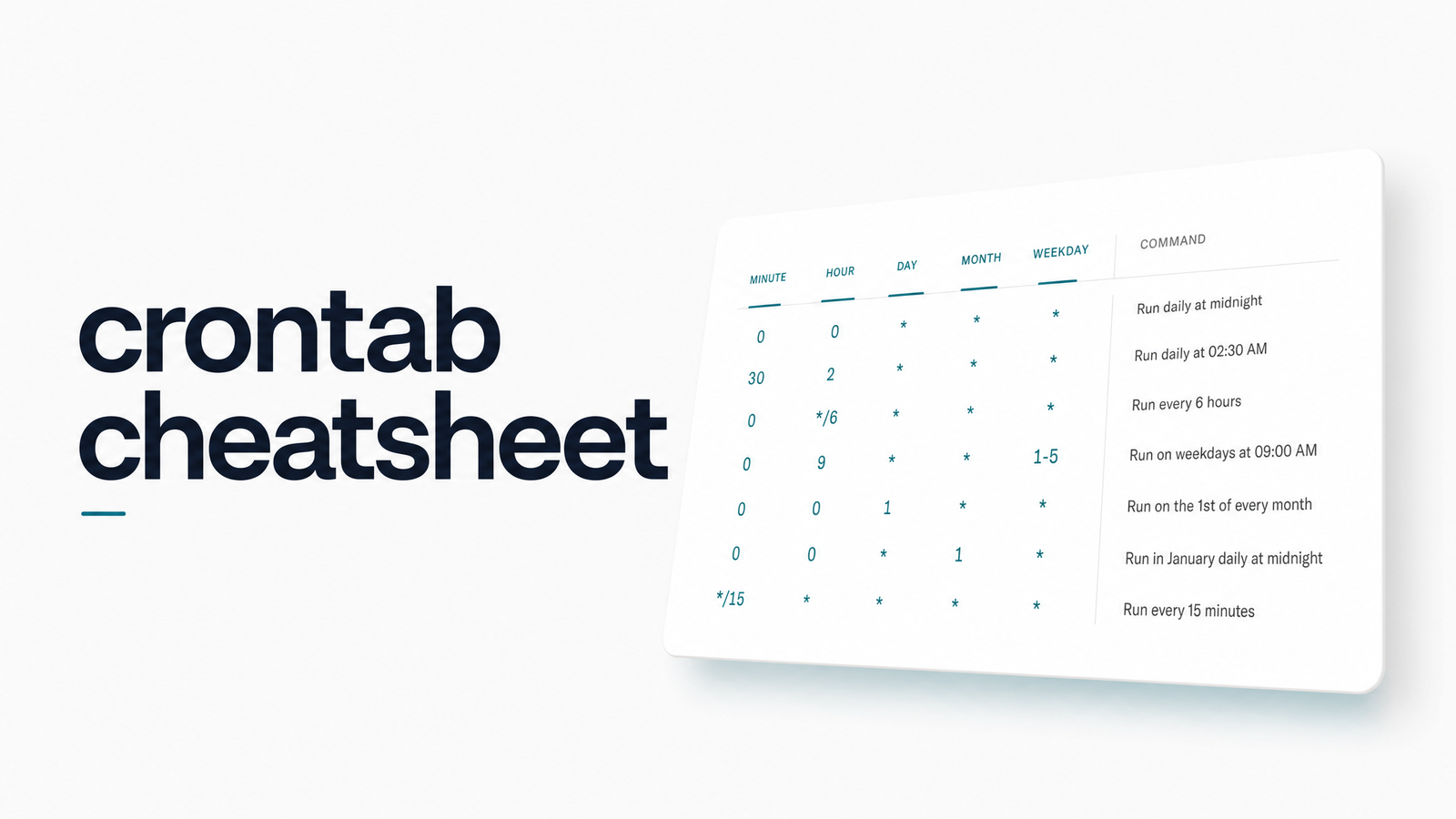
This crontab cheatsheet is the desk-reference version: no tutorial, no backstory, just the five-field syntax, ready-made schedule expressions, and the special strings you keep forgetting. Bookmark it, screenshot it, or copy expressions straight into your crontab. The last two sections cover something no cheatsheet can promise — that your job actually ran.
Crontab Syntax at a Glance
Every crontab line follows the same five-field pattern, in this exact order:
| Field | Allowed values | Meaning |
|---|---|---|
| Minute | 0–59 | Minute of the hour |
| Hour | 0–23 | Hour of the day (24h, no leading zero required) |
| Day of month | 1–31 | Day of the month |
| Month | 1–12 | Month of the year |
| Day of week | 0–7 | Day of week (0 and 7 both mean Sunday) |
Operator legend: * means "every value," , separates a list (e.g., 1,15), - defines a range (e.g., 9-17), and / sets a step (e.g., */5 for "every 5 units"). Combine them freely across fields. For symbol-by-symbol explanations, see Crontab Cheat Sheet: Syntax, Symbols & Schedules.
Copy-Paste Schedules for Common Jobs
These are the cron schedule examples developers reach for most often. Copy the expression, swap in your command, done.
| Expression | Runs |
|---|---|
*/5 * * * * |
Every 5 minutes |
*/15 * * * * |
Every 15 minutes |
*/30 * * * * |
Every 30 minutes |
0 * * * * |
Every hour, on the hour |
0 2 * * * |
Daily at 2:00 AM |
0 9 * * 1-5 |
Weekdays at 9:00 AM (business hours start) |
0 9-17 * * 1-5 |
Every hour, 9 AM–5 PM, weekdays |
0 0 * * 0 |
Weekly, midnight Sunday |
0 0 1 * * |
Monthly, midnight on the 1st |
0 6,18 * * * |
Twice daily, 6 AM and 6 PM |
*/10 9-17 * * 1-5 |
Every 10 minutes during business hours, weekdays |
30 4 1,15 * * |
Twice a month, 1st and 15th at 4:30 AM |
The crontab every 5 minutes pattern (*/5 * * * *) is the most searched of the bunch — the default for health checks, queue workers, and polling jobs where near-real-time matters but a full scheduler feels like overkill.
Special Strings & Shortcuts
Cron special strings save you from writing out numeric fields for common intervals. Not all cron daemons support every string, but most modern ones (including systemd-driven cron on Linux) do.
| String | Expands to | Meaning |
|---|---|---|
@reboot |
— | Runs once at startup |
@yearly / @annually |
0 0 1 1 * |
Once a year, Jan 1 at midnight |
@monthly |
0 0 1 * * |
Once a month, 1st at midnight |
@weekly |
0 0 * * 0 |
Once a week, Sunday at midnight |
@daily |
0 0 * * * |
Once a day, at midnight |
@hourly |
0 * * * * |
Once every hour, on the hour |
@reboot entries are handy for startup scripts that need to fire once per boot without a persistent schedule. To settle the recurring question: @daily and 0 0 * * * are functionally identical — @daily is just shorthand, so use whichever is more readable in your crontab.
Mistakes This Cheatsheet Can't Save You From
Correct syntax and a working job are two different things. These crontab common mistakes account for most "why didn't my cron job run" tickets:
- Timezone mismatch. Cron typically runs on system time, which may be UTC, not the timezone you're mentally scheduling against. A "2 AM" job can fire at 2 AM UTC while your team assumes local time — the classic crontab timezone gotcha.
- Missing PATH or environment variables. Cron runs jobs in a minimal shell, often without your full
.bashrcor.profileloaded. A script that works fine in your terminal can fail silently becausenode,python3, or a custom binary isn't on cron's stripped-down PATH. - Overlapping or long-running jobs. If a job takes longer than its interval, the next scheduled run can start before the last one finishes, stacking processes or corrupting shared state.
- Silent failures with no captured output. By default, cron emails output to nowhere in particular, or nowhere at all if mail isn't configured. A cron job runs but produces no output, no error, and no evidence — it just quietly didn't work.
None of these show up as a syntax error. Your crontab line can be flawless and the job can still fail every single time.
A Cheatsheet Tells You the Syntax — Not Whether the Job Ran
A correct crontab expression only guarantees that the operating system attempted the job at the scheduled time. It says nothing about whether the endpoint responded, the script exited cleanly, the server was even up, or the process hung indefinitely. "Did my cron job run?" is a different question from "is my crontab syntax correct?" — and most debugging time gets wasted because those two questions get treated as one.
If you want to self-check before reaching for a monitoring tool, start with How to Check Cron: The 4-Layer Verification Checklist for a structured way to verify execution, and Check Crontab: The Full Verification Workflow if you're actively debugging a job that looks syntactically fine but isn't behaving. If you're relying on a simple ping or heartbeat check for confidence, read Ping Health: What It Really Means for Cron Jobs first — a successful ping isn't the same as a successful job.
This is the gap cron monitoring exists to close: catching the dead endpoint, the timeout, the reboot that wiped your schedule, or the overlapping run that silently ate your data — failures a perfect crontab line can't prevent and a cheatsheet can't warn you about in real time.
Frequently Asked Questions
What's the difference between this crontab cheatsheet and a full crontab tutorial?
This cheatsheet skips explanations entirely and gives you dense, copy-paste tables — the five fields, ready-made schedules, and special strings, with no prose in between. A full tutorial, like Crontab Cheat Sheet: Syntax, Symbols & Schedules, walks through what each symbol means and why, more useful if you're still learning rather than just looking something up.
What does */5 * * * * mean in crontab?
It means "every 5 minutes, every hour, every day, every month, every day of the week." The */5 in the minute field is a step value, triggering at minute 0, 5, 10, 15, and so on through 55.
How do I schedule a cron job to run every weekday at 9am?
Use 0 9 * * 1-5. That sets the minute to 0, the hour to 9, leaves day-of-month and month as wildcards, and restricts day-of-week to 1 through 5 (Monday through Friday).
Is @daily the same as 0 0 * * * in crontab?
Yes, they're identical. @daily is shorthand that expands to 0 0 * * *, running the job once at midnight system time — pick whichever is more readable for your team.
Why does my cron job show correct syntax but still not run?
Correct syntax only means cron will attempt the job — it doesn't fix a missing PATH, an unset environment variable, a timezone mismatch, or a server that was down at the scheduled time. These are the most common causes of "correct syntax, job still fails" tickets, and none of them are syntax problems.
How can I confirm a cron job actually finished successfully, not just started?
You need a way to detect completion, not just execution — for example a check-in that the job pings on success, monitored by a tool like Cronevra that alerts you the moment an expected run doesn't check in. Reviewing logs manually works occasionally, but it doesn't scale and won't catch failures the moment they happen.
Correct syntax gets your job scheduled; it doesn't guarantee the endpoint answered, the server stayed up, or the previous run finished before the next one started. If you'd rather find out the moment a job misses its run than the moment someone notices missing data, take a look at Cronevra and its pricing — setup takes minutes, and it's built specifically so cron jobs never fail silently again.